Crew management · Web · iPhone
CrewCompass
Tour and crew management for live production. One itinerary, one crew list, one settlement, on the web and on the phone.
I wrote CrewCompass for the shows I work on, because the itinerary lived in three places, nobody knew who had actually confirmed, and the fees were sorted out two months later. Now the production enters everything once, and every crew member sees exactly what concerns them, on the phone too.
- Platforms
- Web · iPhone · CC Pass
- Itinerary phases
- PRE · LOCAL · SHOW · POST
- Exports
- PDF · CSV · XLSX
- Languages
- Hungarian · English
The same show, in the office and in the pocket
Captured from a demo organisation with fictional data. Scroll, and the browser and the phone follow the captions.
01 / 04
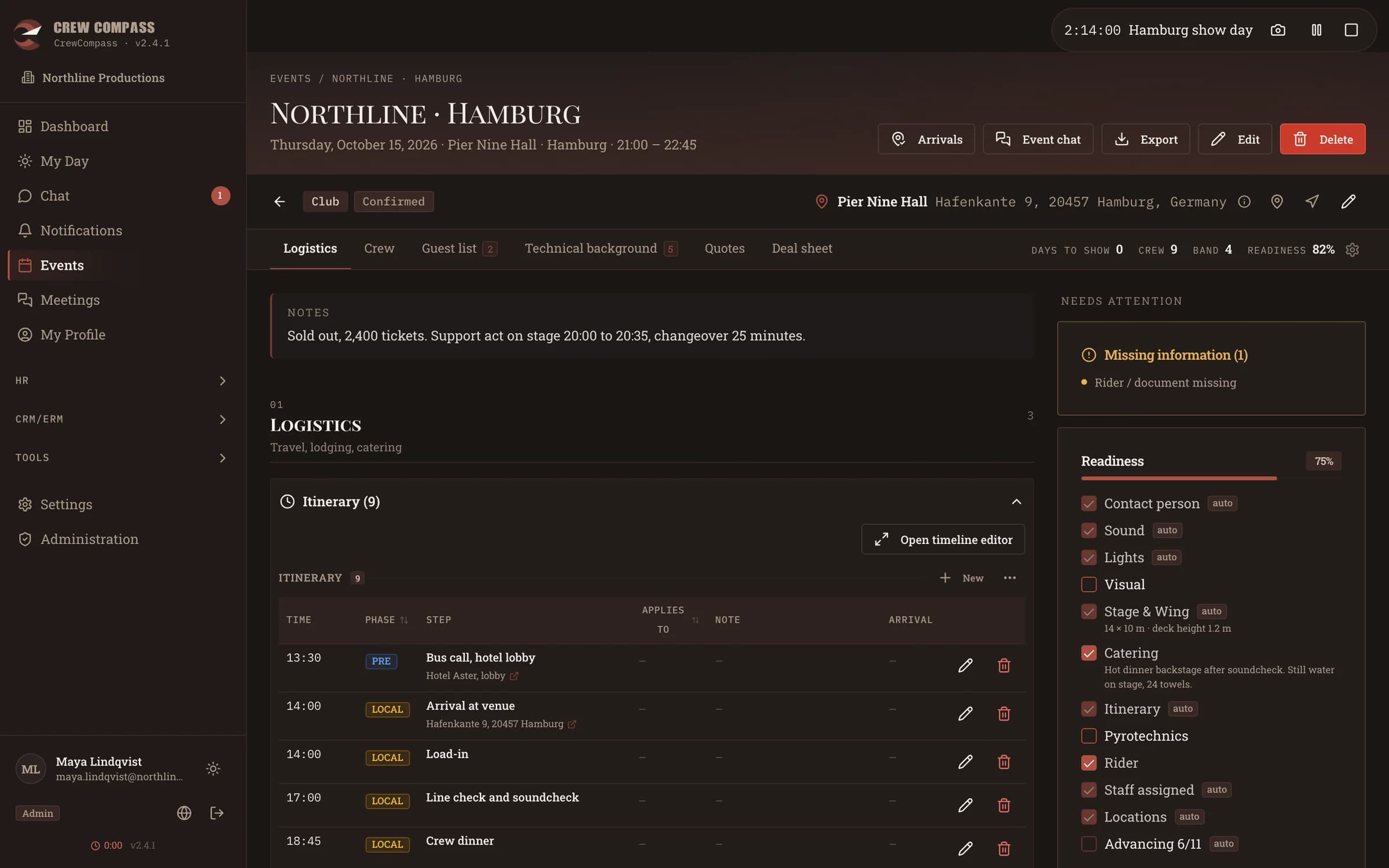
Itinerary
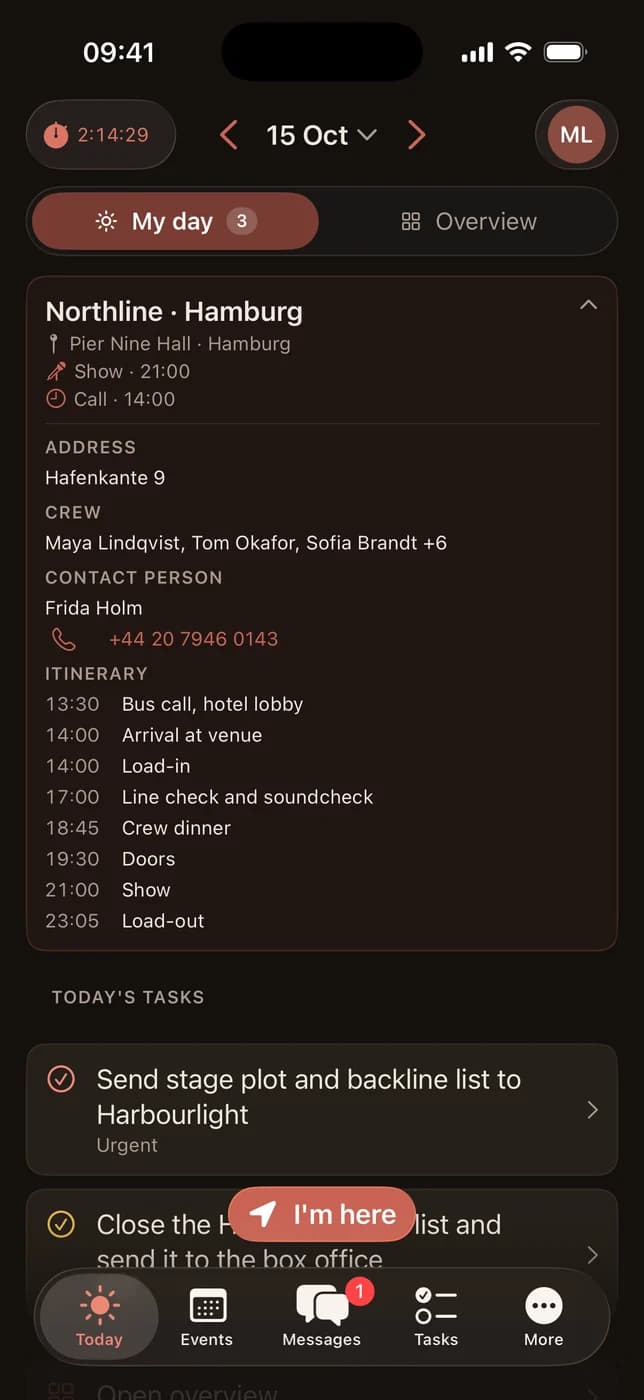
Every show day with its times, venue and contacts. A readiness checklist shows what is still missing before the show.
02 / 04
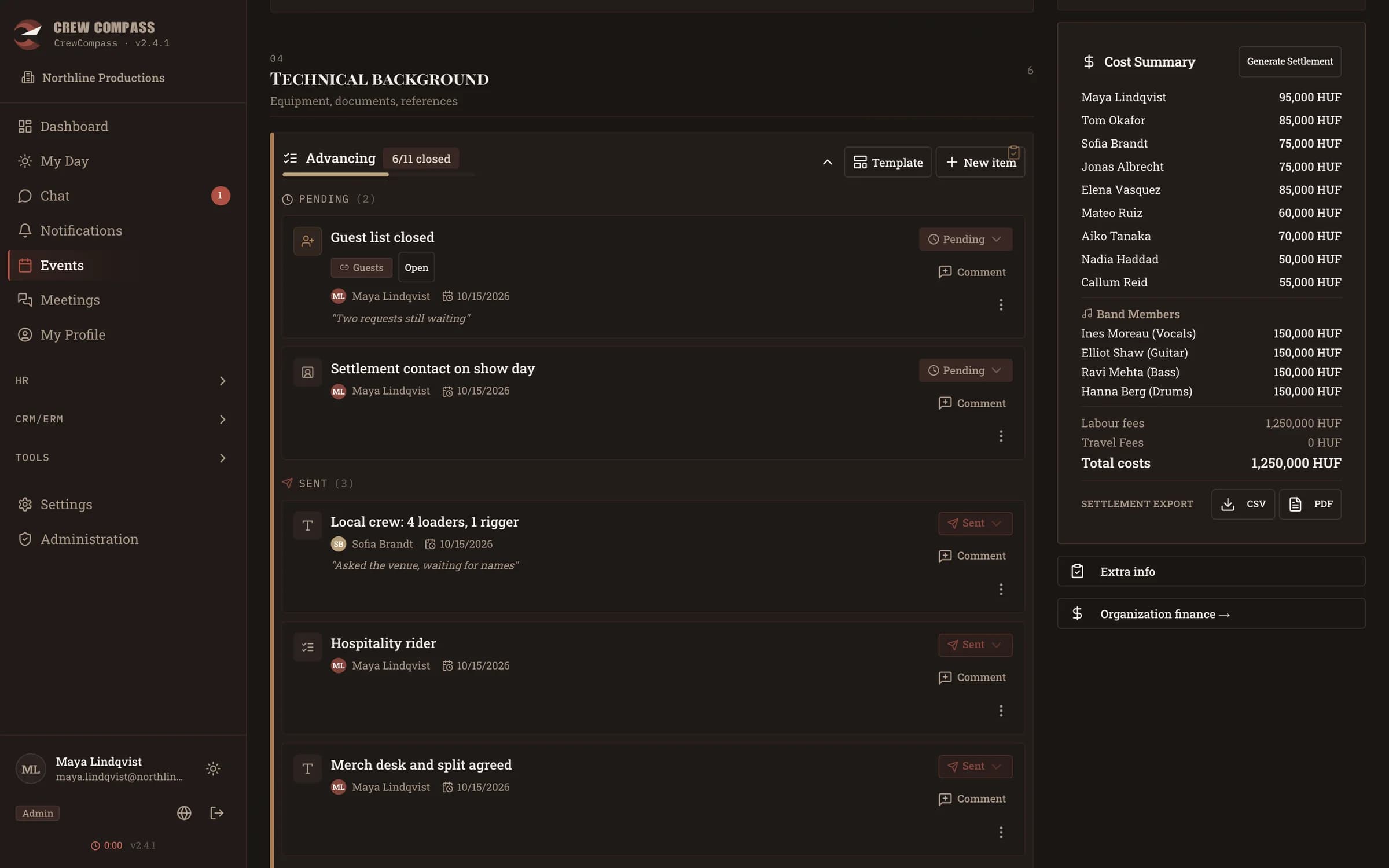
Advancing
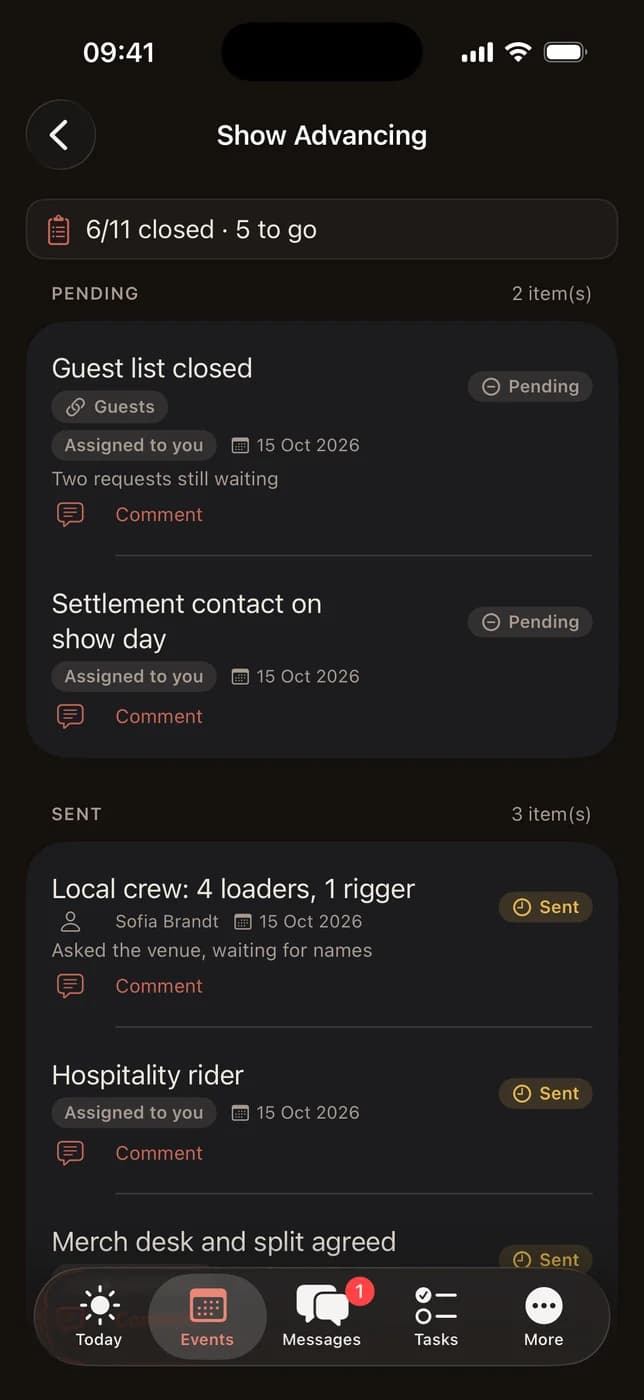
Stage, sound, light, visuals, pyro and power, agreed item by item with the venue, with a status and comments on each.
03 / 04
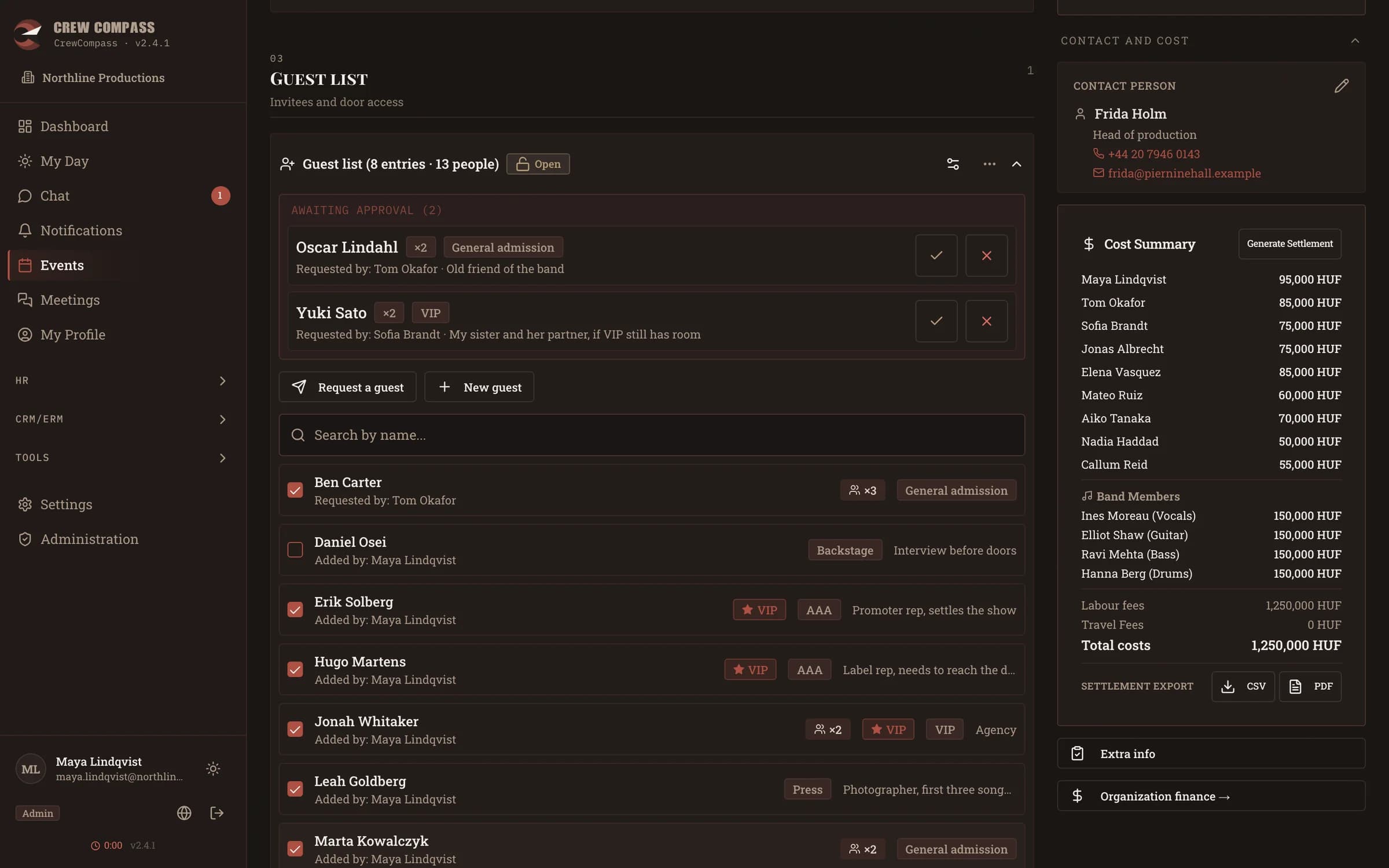
Guest list and passes
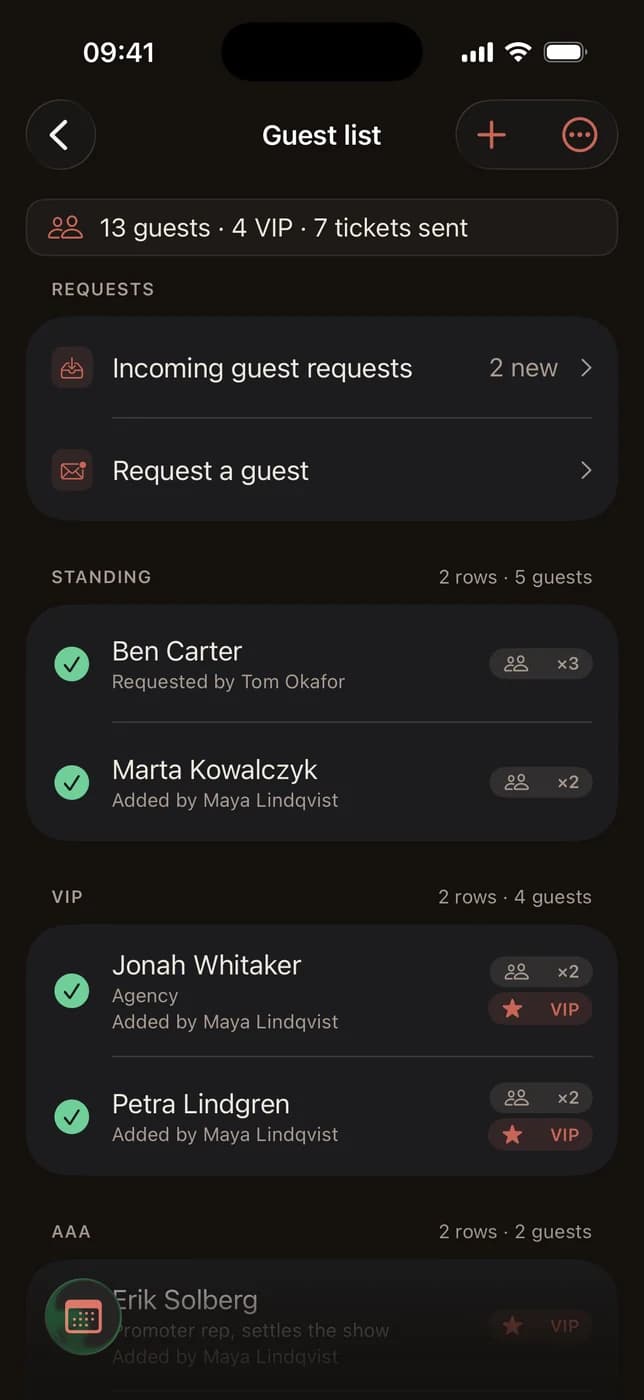
The crew sends requests, the office approves, the list stays in one place. At the door, CC Pass checks the passes.
04 / 04
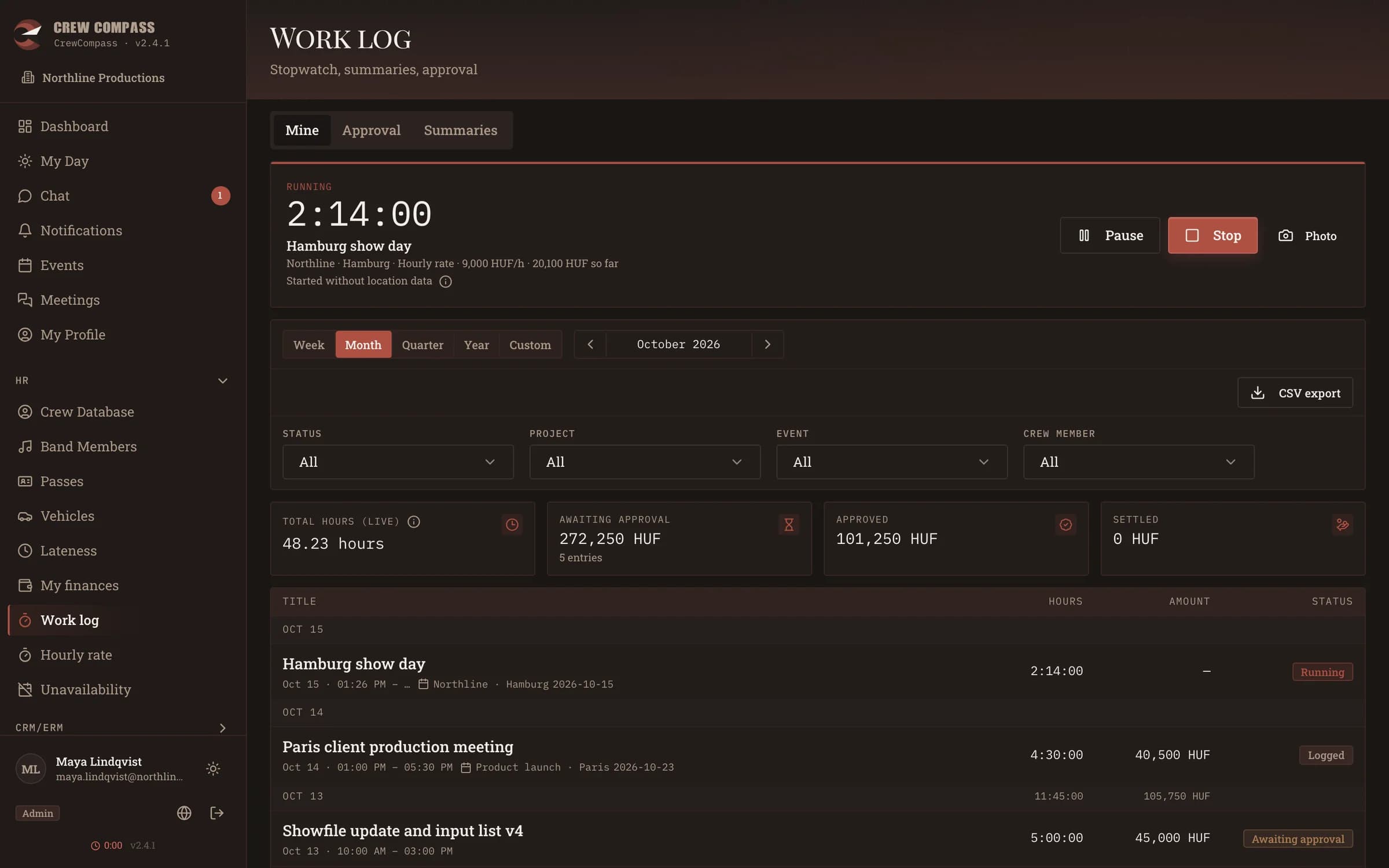
Work hours and settlements
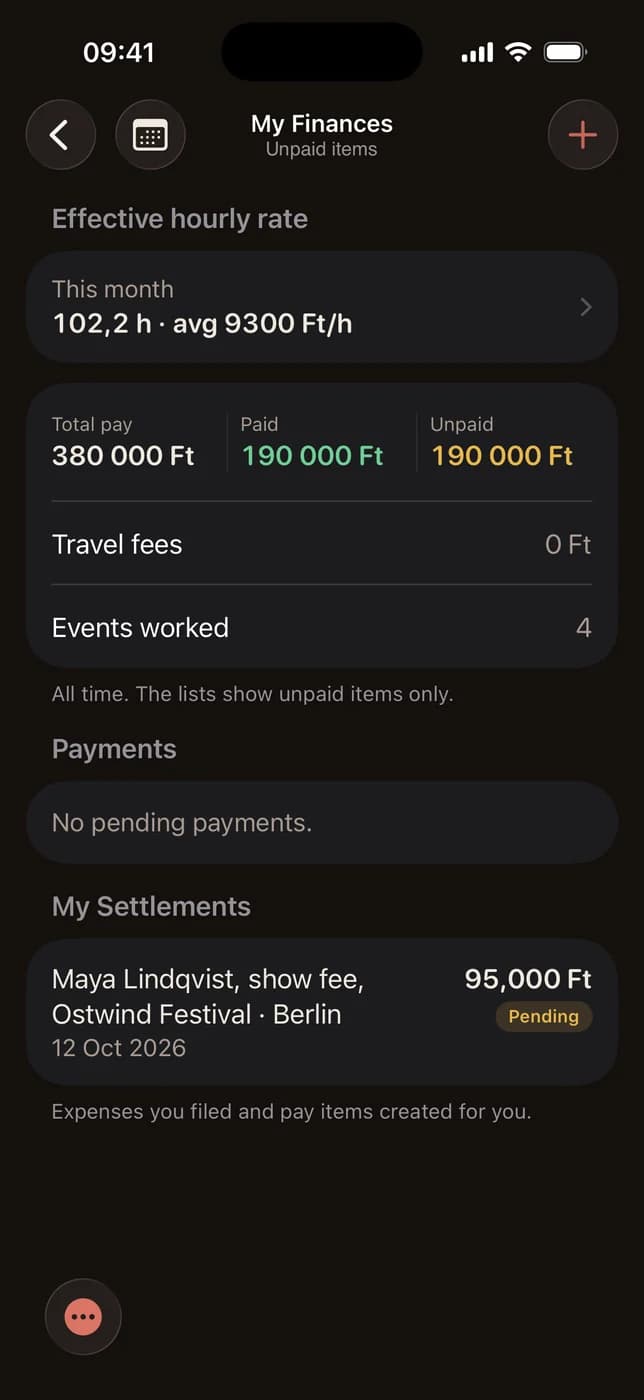
Crew start and stop their hours on the phone. Approval, settlements and the money still owed live in the same app.
Features
What it takes care of
01
Events and itinerary
Every show, rehearsal and meeting in one list and one calendar, with status, venue, map links and documents. The itinerary runs in four phases (PRE, LOCAL, SHOW, POST) and each point can be addressed to a group, so the driver does not read the lighting cues. A load-out after midnight carries a +1 day marker.
02
Scheduling that answers back
Crew and band assignments show who has read them and who has accepted. Unavailability is entered ahead and a clash with a schedule is flagged. Crew categories, labels and partner companies keep larger productions sorted.
03
Advancing
A checklist with the venue: local crew, hospitality, merch desk, settlement contact. Each item has a status (pending, sent, closed), an owner and a comment thread, and the usual list comes from a template.
04
Guest list, passes and the door
Zones, companions and VIP, AAA or press access per guest, requests from the crew with approval, quotas per zone, person or group, and a ticket-sent mark. The door list exports to PDF or Excel, and CC Pass checks the QR passes at the entrance.
05
Work hours and arrivals
A stopwatch with pause, photos and colleagues, billed hourly, as a fixed fee or as time only, tied to a project or an event, then approved and exported. Arrival at the venue is recorded by geofence or an I'm here button and compared with the call time.
06
Fees and settlements
Event fees, daily, monthly and hourly rates per person, a cost summary per event, settlements to CSV or PDF, payments and refunds. Closing an event freezes its fees, and every crew member sees their own totals, paid and unpaid, on the phone.
07
Warehouse and packing lists
Items, cases and storage places, every one with a QR code. A packing list counts what left and what came back and shows what is missing. Stock comes from movements, not from a number typed by hand. Merch and consumables included.
08
Chat, tasks, briefings
Event chat and direct messages, tasks with assignees, priority and due dates, an email briefing with the sections you pick, and push notifications when something changes. On iPhone the next itinerary point sits in a Live Activity.
09
Calendars and contacts
Two-way Google Calendar sync, ICS calendar sources, Google Contacts and CardDAV sync with vCard download, and Google Maps or Waze links on every venue.
Who it is for
For the crew
The questions a crew member used to ask over the phone are answered before they are asked.
- One screen in the morning: where, when, with whom, what your job is.
- Venue address, contact person, rider and itinerary at the same event, not spread over four channels.
- Only what concerns you: itinerary points are addressed to groups.
- Your own fees: what is due, what is paid, what is still open.
- Works on the phone, and an arrival is kept even without signal.
For the production
What is entered once shows up everywhere: in the briefing, on the door list, on the phones.
- A single source for the itinerary, the crew list and the fees.
- Decisions leave a trace: who changed an amount or an assignment is in the audit log.
- Roles and permissions: administrator, office, tour manager, crew, band member.
- Each organisation has its own data and branding, and modules are switched on per organisation.
- Backup and restore of the whole database and the files.
How it runs
Three apps, one server
It runs at crewcompass.hu, and it can also run on your own server with Docker. Each organisation gets its own database.
Browser
Web app
The whole system in the browser, for the office and on the phone as well. Push notifications arrive in the browser too.
iPhone
CrewCompass app
The crew app: my day, events, itinerary, messages, tasks, work hours, finances and the warehouse scanner. Native, with a Live Activity and a home-screen widget.
Door
CC Pass
The scanner for the entrance: it reads the QR on the pass, shows whether it is valid and logs every scan. On the App Store.
Next step
See it with your own show
Write to me and I will set up a demo organisation for you and walk you through one event. The web app is at crewcompass.hu.